


Animating CoChefyBot: How We Brought Our Chef Companion to Life in Rive

Designing CoChefyBot was only the beginning. The real magic happened when we started animating him.
From the start, we knew CoChefyBot needed to do more than look friendly, he needed to move in a way that made him feel helpful, expressive, and alive.

The Pipeline We Planned from Day One
Animation wasn’t an afterthought. We designed CoChefyBot specifically with Rive in mind, which influenced major decisions like:
- simple geometry
- clean layer separation
- no legs (less complexity, more focus on upper-body expressions)
- modular facial features with lots of expression potential
This foresight made the animation process smooth, predictable, and fun.
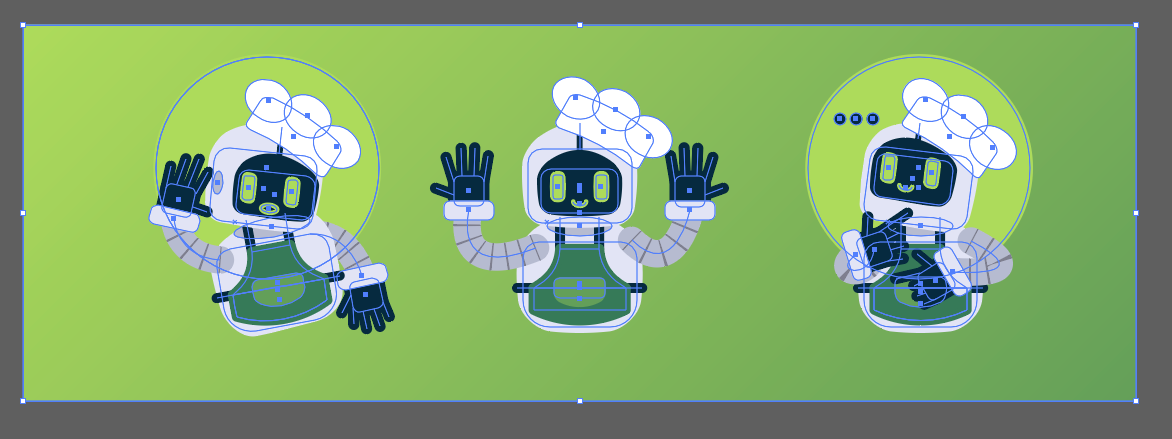
Bringing Him to Life in Rive
Our animation goals were simple:
- Make him expressive.
- Make him responsive.
- Make him feel like he’s actually cooking with you.
Using Rive’s real-time animation tools, we built:
- multiple artboards
- boolean states for each expression and action
- smooth transitions between emotional states
- micro-expressions that give him charm and depth
The most enjoyable part? Animating the listening expression, full of subtle face shifts and attentive movement.
Why It Matters
CoChefyBot isn’t just an animation — he’s a fully documented system:
- expressive, modular animation built in Rive
- intuitive developer tooling created in Lovable
- consistent behavior across the entire CoChefy app
- a frictionless pipeline between design and development
For us at 10 Grounds, this wasn’t just about one character. It proved that when animation, design, and documentation work in harmony, you can create experiences that scale, without losing personality.
CoChefyBot moves, listens, thinks, and guides not because the tech is complex, but because the process behind it is smart.
To try CoChefy, you can download the iOS or Android apps from our official website: https://www.cochefyapp.com
And now, he’s ready to cook with anyone.